
Guide
Intune Deployment Guide
A complete guide to designing, deploying, and operating a Microsoft Intune environment, from the first decisions to day-two operations. Built as a design guide first, with a how-to layer underneath. The series is organized into phases: each phase contains architecture articles that explain the decisions, and applied articles that document how to execute them. Read sequentially or jump to the phase that matches where you are.
Apple devices in an Intune estate depend on a second system of record. Apple Business decides which devices your organisation owns, who your people are to Apple, and what software you are entitled to run, and Intune manages what that register permits. It has its own guide: Apple Business.
Not every Intune question is part of a guide. The standalone pieces, the ones that answer a single question and carry no reading order, live in their own section: Casework.
Orientation
1 article
Foundations
8 articles
What Intune Is (and What I Had to Re-Anchor)
The instincts I relied on for years still worked - just enough to be misleading. I didn't come into Microsoft Intune green. I came…

From Group Policy to Cloud Policy
From Group Policy to Cloud Policy The move to Intune is often framed as moving policy to the cloud. That framing is close enough…

How Intune Evaluates Configuration Profiles
Understanding how Intune actually processes and evaluates configuration profiles changes how you design them. Not just conceptually - it changes specific decisions about how…

Why I Design Baselines in Modular Sections
Microsoft's security baselines exist for a good reason. The intent behind them is solid - consolidate recommended settings, reduce decision fatigue, give teams a…

Naming, Scope, and Assignment Discipline
Once configuration is separated into modular policies, the next problem is obvious: how do you keep that structure understandable six months from now, when…

Understanding What Intune Actually Is
One of the most common mistakes I see is treating Intune as if it owns the entire device lifecycle. It doesn't - and that…

Why the Trust Model Changed
The move to cloud management didn't just change where policy lives. It changed what trust means and how it's established. In a traditional model,…

Zero Trust in Practice
Zero Trust is easy to agree with in principle and easy to get wrong in practice. The model is sound. The gap is in…
Identity and Tenant Foundation
15 articles
Getting Your Azure House in Order
Most Intune deployments do not fail at enrollment. They fail much earlier - quietly, invisibly, and often without immediate symptoms.

Tenant Customization and Branding
Tenant customization is not a visual exercise. It's an identity design decision that shapes how users interpret legitimacy, authority, and intent - long before…

Implementing Tenant Customization and Branding
The previous article explained why tenant customization matters and what each surface is designed to do. This one is about implementation - where these…

Licensing
Licensing conversations in Microsoft environments are uncomfortable because they're usually happening at the wrong time - after someone has already designed a deployment around…

Groups, Roles, and Access Boundaries
Every Intune environment eventually reaches a moment where something goes wrong-not because of a bad policy, but because too many people could change too many things.

Building Your Group Structure in Practice
Group structure is one of those decisions that feels low-stakes early and becomes load-bearing later. Get it wrong and you spend the next two…

Privileged Identity Management: Architecture and Build Guide
This guide documents the architecture, configuration, and deployment of Privileged Identity Management across a Microsoft Entra tenant. It is an internal methodology document covering…

Designing for Scale: Naming, Structure, and Assignments
Most Intune environments do not fail because of bad settings. They fail because nobody knows what applies to what, why it exists, or what will happen if it changes.

The Naming Convention Playbook
Naming conventions are not bureaucracy. In an environment without the hierarchy that Group Policy provided, names are the only structural documentation you have. The…

Conditional Access Prerequisites: What Must Be True First
Conditional Access enforcement is covered in Phase 8. But several decisions that determine whether Conditional Access works correctly belong in Phase 2 - before…

Windows Hello for Business: The Credential the Framework Already Assumed
The Conditional Access framework leans on phishing-resistant credentials in every tier. This is the design paper for the credential itself: what Windows Hello for Business actually is, the trust decision most tenants do not need to make, and where it sits in a passkey world.
Rolling Out Windows Hello for Business: Rings, Not Switches
The tenant-wide Windows Hello toggle only fires at enrollment, cannot be scoped, and does nothing to devices you already manage. The controlled rollout uses targeted policy, device rings, and an understanding of which settings you genuinely cannot gate per user.

Cloud Kerberos Trust: On-Prem Reach for Entra-Native Devices
An Entra-joined device signs in without a domain controller, but opening a file share is a different transaction. How cloud Kerberos trust exchanges a partial ticket for a full one, what it needs, where line of sight actually matters, and what it will never solve.

Delegating Intune: Roles, Scope Tags, and Scoped Permissions
Delegation in Intune is two questions asked separately: what an administrator may do, and which objects exist for them at all. The scoped-permissions change finally makes the answers honest.
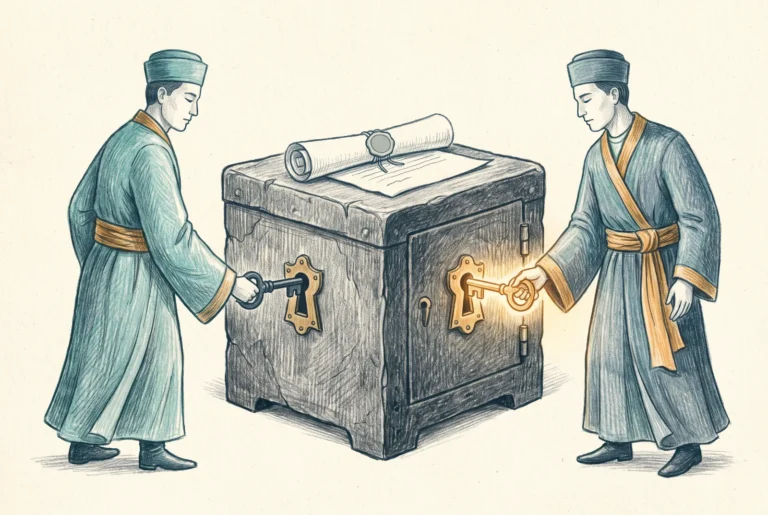
Multi-Admin Approval: The Second Signature
Multi-Admin Approval assumes any admin account, including the most privileged one in the tenant, might be an attacker by the time it makes a change. For protected resources, no single account changes anything alone.
Device Entry
8 articles
Automatic Enrollment: Letting Devices In on Purpose
Most Intune environments do not fail because of a bad policy. They fail because devices arrive without intention.

Configuring Enrollment Restrictions in Practice
Enrollment restrictions are the first line of control over what gets into your Intune environment. Most deployments leave them at default. That's a mistake.…

Hybrid Devices: What Works, What Doesn’t, and Why It’s a Stopgap
Most organizations don’t approach Intune from a clean, cloud-native starting point. They arrive with years of Active Directory decisions, deeply embedded Group Policy objects, and devices that were never designed to operate independently of the corporate network. Hybrid Entra ID Join exists because of this reality, not because it represents an ideal endpoint state.

Windows Enrollment Methods Explained
Windows enrollment looks simpler than it is. Entra ID join, hybrid join, and device registration are easy to conflate - they all result in…

Configuring Automatic Enrollment Scope
Automatic enrollment is one of the most consequential configuration decisions in Intune.

Hybrid Entra ID Join: How It Actually Works and How to Fix It When It Doesn’t
The join mechanics from SCP discovery to PRT, what Entra Connect must be doing, whether you need Seamless SSO or GPOs, the targeted rollout registry method, and how to read dsregcmd on a device that will not join.

MacOS Enrollment
macOS enrollment into Intune looks similar to Windows enrollment on the surface - a device appears in the management plane, policies apply, compliance is…

Mobile Enrollment: Setting the Stage for Phase 9
Mobile enrollment is where Intune's flexibility becomes its complexity. Windows and Mac enrollment paths are relatively constrained. Mobile is not. iOS and Android each…
Provisioning
7 articles
Windows Autopilot: Consistent Provisioning Without Touching the Device
Windows Autopilot is often introduced as a way to “skip imaging,” but that framing misses the real value. Autopilot is not about saving a few setup steps. It is about removing human variability from device provisioning entirely.

Autopilot Profiles and Deployment Modes
The Autopilot profile is the first decision point in the provisioning flow. It determines the deployment mode, the out-of-box experience, and how much control…

Enrollment Status Page: Designing for Reliability
The Enrollment Status Page is the most visible part of the Autopilot experience and the most common source of Autopilot failures. Getting it right…

Hardware Hash Registration
Before Autopilot can provision a device, that device needs to be registered. Registration ties a specific piece of hardware to your tenant. Without it,…

Provisioning without Autopilot
Autopilot is the preferred provisioning path. It removes human variability, produces consistent enrollment outcomes, and scales without proportional IT effort. But not every device…

Co-Management
A significant number of enterprise environments are going to live in co-management for years. Not because it's the goal, but because it's the practical…

Windows Backup for Organizations: The Second Migration
Replacing a Windows device has always been two migrations wearing one name. OneDrive owns the files. Windows Backup for Organizations finally owns the settings, and at 26H2 it becomes the default.
Windows Security Configuration
13 articles
The Security Policy Landscape: Microsoft Baselines, OIB, and How They Fit Together
Security baselines promise order. They suggest that someone has already done the hard thinking, weighed the risks, and produced a sensible starting point you can apply with confidence.

The Modular Baseline Playbook: Deploying OIB in Practice
The architecture article explained why modular baselines are the right approach. This one covers how to actually deploy OIB - what you need before…

CIS Level 1 vs Level 2 in an Intune World
CIS Level 1 and Level 2 are profiles, not difficulty tiers. A practitioner's view of what the distinction means, what it takes to operationalize either in Intune, and how the available options - Microsoft baselines, build-your-own, and OpenIntuneBaseline - actually compare.

The OIB Deployer: Shipping the Baseline Without the Ceremony
A purpose-built way to ship OpenIntuneBaseline into a tenant. What makes its browser-only, no-backend architecture trustworthy, why it deploys unassigned by design, and when it beats the IntuneManagement module.

Deploying OIB with the Deployer: Empty Tenant to Green Baseline
The first deployment as a set of decisions rather than clicks: the identity the tool runs as, what to leave unselected, the Store setting that reaches into EPM, and why a freshly deployed baseline is correct but assigned to nothing.

Operating OIB: Version Updates Without Drift
Carrying a live OIB deployment from one version to the next without drifting away from upstream or from your own adjustments. The compare, the by-name matching, the fork rule, and working an update as a set of decisions.

Configuration Profiles and the OIB Approach
The previous article established why Microsoft's monolithic baselines create operational friction and introduced the two policy surfaces - Configuration Profiles and Endpoint Security -…

Endpoint Security Policies: BitLocker, LAPS, Firewall, and ASR
The Endpoint Security blade in Intune exists for a reason. It's not a reorganized version of Configuration Profiles - it's a purpose-built surface for…

BitLocker: Designing Encryption Policy That Works
BitLocker policy in Intune looks straightforward until you try to deploy it silently and it doesn't work. The settings that control silent encryption are…

ASR Rules: Staged Enforcement From Audit to Block
ASR rules are one of the highest-value security controls available in a Microsoft Defender environment. They're also one of the easiest ways to break…

Defender for Endpoint: The Security Layer That Connects Everything
Defender for Endpoint is not just an antivirus product. It's a threat detection and response platform that, when properly connected to Intune, changes how…

Updates: Autopatch as Default, Rings as the Alternative.
Patch management has a reputation for being a maintenance task. In a cloud-managed environment it's a security control - and the distinction matters for…

Configuring Autopatch and Update Rings in Practice
The architecture article made the case for Autopatch as the default update approach when licensing allows. This one covers what it actually takes to…
Compliance
3 articles
Compliance Policies: The Signal That Feeds Conditional Access
Compliance policies occupy an unusual position in the Intune architecture. They don't configure anything. They don't enforce anything. What they do is measure device…

Building Compliance Policies in Practice
Compliance policies are the bridge between Intune configuration and Conditional Access enforcement. Before you build individual policies, two tenant-wide settings need to be set…
Designing Compliance Rules That Mean Something
The most common compliance policy failure I see isn't misconfiguration - it's compliance theater. Rules that look thorough on paper but don't actually reflect…
Applications
9 articles
App Strategy in an Intune-First Environment
If there is one place where Intune deployments quietly succeed or quietly collapse, it is application delivery. Not identity. Not Conditional Access. Not even Autopilot itself. Apps.

Deploying Win32 Applications
The full Win32 lifecycle on one sheet: packaging, install context, detection, requirements, dependencies and supersedence, and assignment, with the traps named.

Microsoft 365 Apps: Channels and Configuration
Deploying Microsoft 365 Apps through Intune is straightforward. The channel decision is not. It determines how often your users get new features, how long…

Winget in Intune: The Poor Man’s App Delivery
Winget in Intune works, and for a lot of environments it is genuinely fine. I want to say that plainly up front, because the…

EAM Auto-Update: Trading Control for a Managed Patch Service
Auto-update turns Enterprise App Management from a packaging accelerator into a managed patch service. What that actually trades away, and the narrow scope where the trade is worth making.

Packaging Models: Win32, LOB, MSIX, and When to Use Each
Intune supports multiple application packaging models and the choice between them is consequential. Not because one is universally better, but because each model makes…

Detection Logic: The Part Everyone Gets Wrong
Detection logic is where application deployment fails silently. The application installs. The user can open it. The help desk has no tickets. And Intune…

Assignment Intent: Required, Available, and Uninstall
Assignment intent is one of the most consequential decisions in application deployment and one of the least deliberate. Required, Available, and Uninstall aren't interchangeable…

Enterprise App Management: What It Is and Where It Fits
Enterprise App Management is Microsoft's managed application supply chain. What it actually is, the packaging labor it removes, how it is now licensed through E5, and where it sits against Winget and the deeper third-party tools.
Conditional Access and Devices
1 article
Mobile and BYOD
14 articles
BYOD, MAM, and Drawing the Line
Most Intune designs fail not because they manage too little, but because they manage too much.

Configuring App Protection Policies for iOS and Android
The build behind app protection: the three setting groups, the data protection level I start from, and the assignment filter that decides whether the policy actually reaches the devices you meant.

Fully Managed Mobile: Android vs iOS
Mobile device management is not a single capability applied equally across platforms
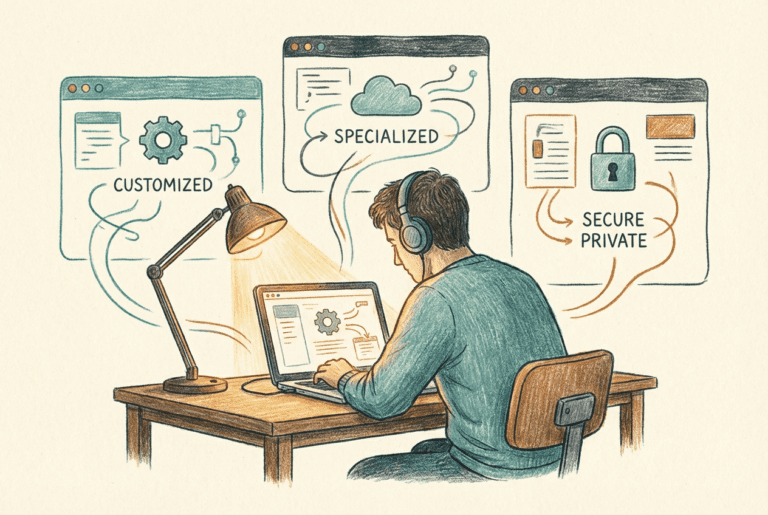
Android Enterprise Models
Why Android Forces You to Choose

Android Enrollment in Practice: Authenticator, Company Portal, and What Users Actually See
Android enrollment generates more support tickets than almost anything else in a mobile deployment. Not because the process is technically complicated - it isn't…

Work Profile vs Fully Managed: Making the Right Call
The choice between Work Profile and Fully Managed isn't primarily a technical decision - it's a device ownership decision that has technical consequences. Getting…

Dedicated Devices: Kiosk, Shared, and Single-Purpose Android
Standing up an Android dedicated fleet: the enrollment profile and its token, the three lockdown modes, the Managed Home Screen, and why AOSP and userless devices change what compliance can see.

Building Android BYOD Onboarding: Web Enrollment and the AMAPI Migration
The Android BYOD build after June 2026: group-scoped enrollment restrictions as the real boundary, the certificate-first Wi-Fi prerequisite, and the one-way Move to Android Management API policy with its verification list, before the CY2026 auto-migration runs it for you.

iOS Management Reality
At a glance, iOS management appears comparable to Android Enterprise.
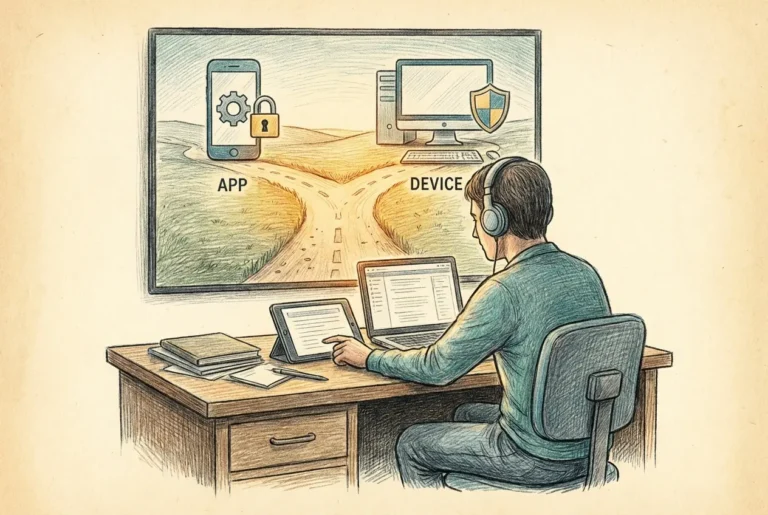
iOS: MAM-Only vs Full Management – There Is No Middle Ground
The most common iOS management mistake is looking for a middle ground that doesn't exist. Organizations want some device control without full management, or…

iOS Supervised Mode: What It Unlocks and What It Still Can’t Do
Supervision is the flag that separates a corporate iPhone from a personal one. What it unlocks, what it pointedly does not, and why the only clean path to it is Automated Device Enrollment.

Building iOS BYOD Onboarding: Web Device Enrollment and Account-Driven User Enrollment
The two surviving iOS BYOD builds: web-based device enrollment with JIT registration and the Company Portal self-service trap, and account-driven User Enrollment with the service discovery file that kills most first attempts, plus the argument for when each one earns its place.

App Protection
App Protection Policies are the mechanism that makes MAM work - they define what managed applications can and can't do with corporate data. Getting…

Operating MAM: Version Floors, Conditional Launch, and Selective Wipe
Running MAM after the design is done: the January 2026 version-floor enforcement, conditional launch as a precedence engine, the two offline timers, selective wipe mechanics, and the Conditional Access grant that actually enforces it.
Day-Two Operations
8 articles
Day-Two Operations: Keeping Intune Boring on Purpose
That moment feels like success, but it is only the transition point.

Setting Up Monitoring: Alerts, Reports, and What to Ignore
There is no single Intune alert engine. The three mechanisms that actually exist, how to wire real alerts in Azure Monitor, and the signals worth watching versus the noise worth ignoring.

Scaling Without Losing Your Mind
Nothing breaks immediately. That is what makes it dangerous

The Intune Health Review: A Quarterly Checklist
Intune fails quietly: a lapsed certificate, a stale connector, an untested break-glass account. The quarterly review I run, ordered so the highest-consequence items come first.

Where to Go Next
If you’ve followed this guide in order, you now have something many environments never reach: a coherent Intune design that makes sense months later, not just on go-live day.

Monitoring and Reporting: What to Actually Watch
Intune generates a lot of data. Most of it isn't worth watching closely. The skill in day-two operations isn't finding more things to monitor…
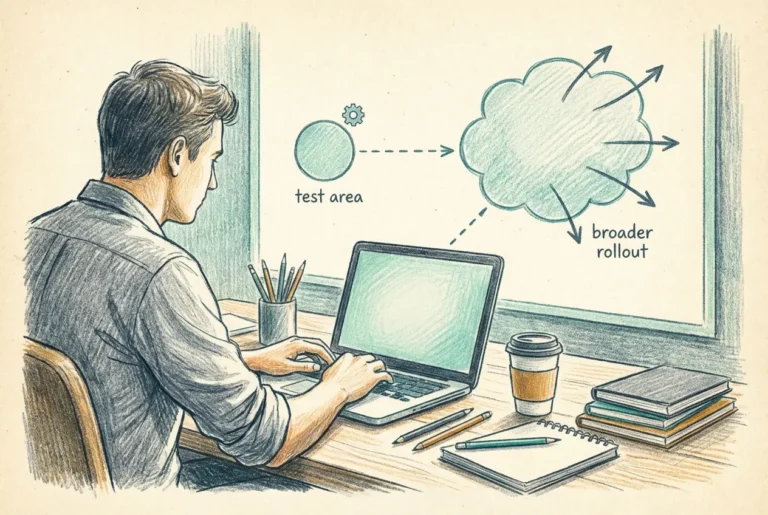
Change Management: Making Changes Safely at Scale
Most Intune incidents aren't caused by external threats or platform failures. They're caused by changes - policy updates, application deployments, configuration adjustments - that…

Copilot in Intune and the Agents: What to Trust Today
One assistant that is genuinely GA, three agents still in preview, and one already retired. A status map of Copilot in Intune, and where AI can carry weight in a production tenant today.
Mac Management
9 articles
Managing Macs with Intune: What’s Different and Why It Matters
Managing Macs with Intune is not the same as managing Windows devices with Intune. The platform is different, the management model is different, the…

Getting Started with macOS Management: The intune-my-macs Approach
Building a macOS management configuration in Intune from scratch involves a lot of decisions - FileVault policy, Firewall, Gatekeeper, login window security, screensaver enforcement,…

Platform SSO: What It Is and Why It Changes Everything for Mac
Platform SSO is the feature that closes the biggest gap in Mac management for Microsoft-centric environments. Before it, macOS identity integration with Entra ID…

Implementing Platform SSO on macOS with Intune
Platform SSO is configured through a single Settings Catalog policy in Intune, and once you understand the three decisions it forces, it is not…
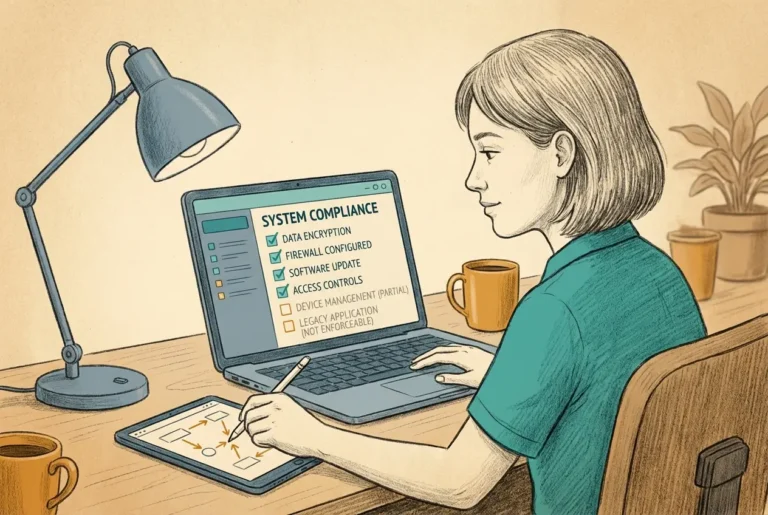
Mac Compliance
macOS compliance policies in Intune are shallower than Windows compliance policies. Not broken - just shallower. Knowing where the boundaries are before you design…

Mac Application Deployment: PKG, DMG, and the App Store
macOS application deployment through Intune works differently from Windows in ways that matter for packaging, detection, and ongoing lifecycle management. The concepts from Phase…

Mac Baselines: Configuration Profiles vs Settings Catalog
macOS configuration in Intune uses two distinct mechanisms that exist alongside each other and serve different purposes. Understanding which one to use for which…

Migrating Macs to Intune from Jamf or No MDM
Most Mac fleets arriving at Intune aren't starting from zero. They're either managed by Jamf and the organization is consolidating to Intune, or they're…

Apple Software Update Management: Moving to Declarative Device Management
Update management built on the old MDM commands stops functioning in the 27.0 releases this fall. Declarative Device Management moves the enforcement into the device itself, and that changes what an update policy is.
The Intune Suite
16 articles
The Intune Suite: The Capabilities You Now Own
As of July 2026 the Intune Suite is folded into Microsoft 365 E3 and E5. What landed in each plan, the EM+S carve-out that will catch people, what each component is, and the deliberate order I would adopt them in.

Endpoint Privilege Management: Retiring Standing Local Admin
Endpoint Privilege Management runs users as standard and elevates specific tasks by policy. How the isolated-virtual-account model works, the spectrum of elevation types, why the reporting is the migration path, the Windows-only scope, and how it is now licensed through E5.

Implementing EPM: The Settings Policy and the Decision That Shapes Everything
The EPM build is one policy and one decision: licensing reality including the EM+S trap, the elevation settings policy that provisions the agent, full-scope reporting as the discovery instrument, and why support approved is the right default elevation response.

Piloting EPM: Building Rules From Requests
The EPM pilot is a discovery phase, not an agent test: run support-approved with no rules, triage the request queue nobody notifies you about, and promote repeated requests into rules with deliberate choices on anchor, elevation type, and child process behavior.

Rolling Out and Operating EPM: Rings, Removal, and the Long Game
EPM rollout has two halves that move together: expanding rings with the pilot playbook, and actually removing standing local admin as each ring proves out. Plus the operating cadence, rule hygiene, and the four failure modes that kill deployments.

Build Sheet: The Elevation Settings Policy and the Pilot
The EPM pilot as a build sheet: the user-targeted pilot group with the licensing rationale, the elevation settings policy with every value given and the Not Configured trap named, assignment, three-check device validation, and one elevation request run end to end.

Build Sheet: The Approval Workflow
Constructing the EPM approval workflow: the approver group that needs no EPM license, a custom Intune role holding only the Elevation Requests permission, the three-part role assignment, a Signal-Action-Why triage discipline, and a queue cadence that survives contact with reality.

Build Sheet: Elevation Rules
Building EPM elevation rules both ways: promoted from the report or from scratch with PowerShell-gathered evidence, the three decisions every rule forces, four worked examples including a deny rule, and the per-persona policy structure that beats sprawl.

Microsoft Cloud PKI: A Managed Certificate Authority for Your Endpoints
Microsoft Cloud PKI retires the NDES, connector, and on-premises issuing CA you run purely to hand certificates to your endpoints. What it removes, the cloud-root versus bring-your-own-CA decision, what it will and will not issue, and the boundary that keeps it honest as an endpoint issuer rather than an enterprise PKI.

Designing the Hierarchy: Cloud Root, BYOCA, and the Three-Slot Budget
Cloud PKI gives you three certificate authority slots and no way to edit a CA after you create it. That makes hierarchy design a one-shot decision, and this is how I make it.

Certificate Lifecycle: Issuance, Renewal, and the Revocations That Do Not Happen
Cloud PKI automates issuance, renewal, and revocation, but its edges are where certificate incidents come from. What is documented, what the field has observed, and how I design around both.

The RADIUS Question: EAP-TLS in a Cloud-Native Estate
Cloud PKI issues the client certificates, but Microsoft sells nothing that terminates EAP-TLS. The authenticator decision, NPS, cloud RADIUS, or the box itself, quietly decides how much Active Directory you keep.

Migrating Off NDES: What Retires and What Pretends To
Microsoft gives you coexistence primitives but no migration doctrine. The sequencing that cannot strand a device, and the honest ledger at the end: NDES retires, the connector retires conditionally, AD CS almost never does.

Build Sheet: Cloud PKI CAs and the Profile Trio
Standing up the Cloud PKI hierarchy and the profiles that deliver from it: root CA, issuing CA, trusted certificate profiles, and the SCEP profile, ending with a validated end-to-end issuance and revocation test.

Build Sheet: Certificate-Based Wi-Fi End to End
Wiring the Cloud PKI certificate into EAP-TLS Wi-Fi: the vendor-neutral RADIUS checklist, the Wi-Fi profile settings, the per-platform traps, and an end-to-end test that proves a revoked certificate gets refused.

The Operational Layer: Remote Help, Advanced Analytics, and Tunnel for MAM
The operational capabilities the July 2026 change folded into Microsoft 365 E3: Remote Help built on your identity, Advanced Analytics with Device Query, and Tunnel for MAM. What each one is, where its boundary sits, and why these are the easy yes of the Suite.



