

There is a tenant-wide switch for Windows Hello for Business, and flipping it is the single most common mistake in this deployment. Not because it fails, but because it succeeds instantly, everywhere, for every population at once. The controlled path costs you one targeted policy and a set of group names. This article is the case for taking it, and an honest map of what each choice does to the devices you already have and the ones you have not enrolled yet.
One setting, two very different futures
The switch in question is the Windows Hello for Business policy that lives with the Windows enrollment options, and understanding three of its properties explains almost everything about how to treat it. First, it is genuinely tenant-wide. It has no assignment surface, no group targeting, no filters; it applies to your entire organization or not at all. Second, it fires exactly once per device, at enrollment time, which includes the Autopilot out-of-box experience. Third, and least understood: changing it later does nothing to devices that are already enrolled. Microsoft’s documentation states this outright, the policy is only applied at enrollment time and changes to its configuration do not apply to devices already enrolled in Intune.
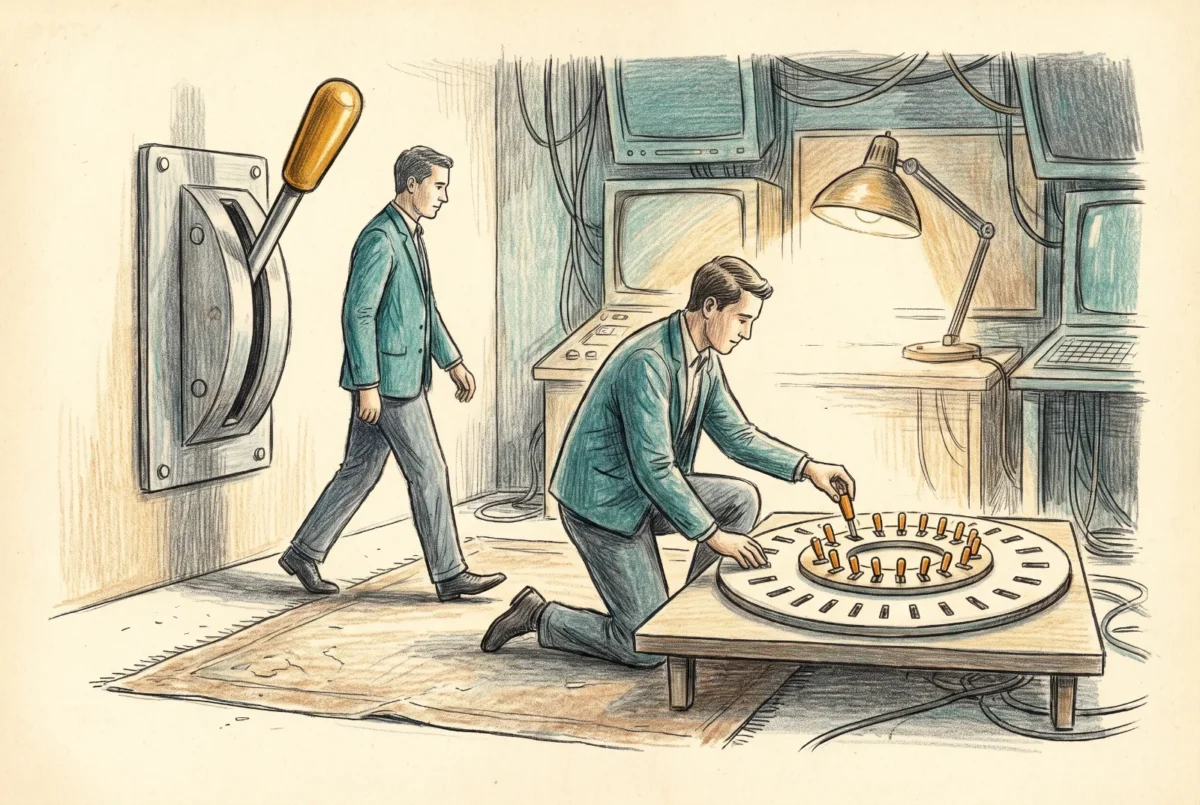
That third property is where the mental model most administrators carry breaks down. This setting is not a live control over your estate. It is a stamp applied to devices as they arrive. Flip it to Enabled today and your existing fleet does not light up; flip it to Disabled next quarter and nobody who already has a PIN loses it. Every plan that treats this toggle as the on/off switch for Windows Hello in the tenant is built on a misreading.
It ships as Not configured, which means Intune stays out of the conversation entirely. That default is correct, and my position is that for most organizations it should never leave it.
What Enabled actually does to a mixed estate
Set it to Enabled and every Windows device that enrolls from that moment forward is pushed into Hello provisioning, with no distinction between the corporate laptop you imaged yesterday and the personal machine an employee enrolled to read email. Entra-registered personal devices are explicitly in scope for Hello when it is enabled by policy, which is how organizations end up forcing PIN enrollment onto hardware they do not own. The user experience on the wrong end of this is a recurring, non-dismissable demand to set up a PIN, and the escalation path is ugly because there is no supported way to exempt one user or one device from a tenant-wide setting. The tickets arrive, and the only honest answer is a redesign.
You do not have to take my word on the remedy, because the vendor’s own documentation says it with unusual candor: the policy applies to all devices getting enrolled in Intune, and for this reason it is usually disabled, with Windows Hello for Business enabled through a policy targeted to a security group instead. When the product documentation tells you the flagship toggle is usually turned off by people who know what they are doing, believe it.
This setting is not a live control over your estate. It is a stamp applied to devices as they arrive.
The controlled pattern
The pattern I deploy is deliberately boring. The tenant-wide setting stays at Not configured. Enablement happens through a targeted policy, either an account protection profile under endpoint security or a settings catalog profile carrying the Windows Hello for Business category, assigned to device groups that represent rings. A first ring of IT-owned machines proves that provisioning completes and that on-premises access still works if you carry that dependency. A second ring of one real business unit surfaces the hardware oddities and the VPN edge cases. Then the fleet, in stages sized to your help desk’s tolerance.
Ring by device group, not user group. The credential is minted per user per device, and staging by device keeps each wave’s blast radius aligned to hardware you can name and roll back to a known state. It also avoids the timing wrinkle where user-targeted policy waits on the user’s own sync cycle while device-targeted policy lands at device check-in.
Choose Not configured over Disabled for the tenant-wide setting, and the reasoning is more than cosmetic. Disabled is still a configuration, and the other values on that pane, PIN length among them, remain live and can collide with your targeted policy. Worse, a disable written into the PassportForWork policy store can persist and block a later enable from a different profile; the field has a small graveyard of deployments where Hello would not turn on because a forgotten disable from an old template was still sitting in the registry winning conflicts. Where the enrollment toggle and a targeted device policy disagree at the same scope, no documented winner exists, only a warning about unexpected results. Not configured refuses to enter the fight, which is exactly what you want from it.
The trade you accept is small and worth naming: with the tenant toggle silent, a fresh Autopilot device will not run PIN setup inside the out-of-box experience. The device enrolls, the targeted policy lands, and provisioning triggers at a subsequent sign-in once its prerequisites are satisfied. Those prerequisites are the other thing to internalize, because provisioning does not begin until the device is Entra-joined, enrolled, and the user has completed multifactor authentication with line of sight to the registration service. Nearly every “it never prompted for a PIN” ticket I have investigated was one of those preconditions quietly unmet, and dsregcmd /status is the diagnostic that says which.
User scope, device scope, and what you cannot ring by user
Sooner or later someone asks for the rollout to follow people instead of machines, and the honest answer is: partially. The underlying configuration store exposes some settings in both a device scope and a user scope, and others in device scope only. The core enablement and the PIN rules exist in both, so you can genuinely target a user population, and a user-scoped value outranks a device-scoped one where they overlap, which is the documented ordering. If your pilot is a set of people rather than a set of laptops, that works.
But the settings that make the deployment interesting are device-only. Cloud Kerberos trust, biometrics, security key sign-in, multifactor unlock: none of these has a user-scoped form. They land on the machine and apply to everyone who signs into it, or they do not land at all. Which means a purely user-driven rollout can control who gets a PIN, but not who gets the on-premises access model or the biometric experience. In practice every clean deployment I have run resolves to device rings for the platform settings, with user targeting reserved for the rare population you need to hold back. Design it that way from the start and the scope question never becomes a support call.
Forward only
Plan this rollout as a one-way door, because operationally it is one. Disabling the policy later stops new provisioning and nothing else; every credential already minted keeps working, and users keep signing in with PINs your policies no longer sanction. Actually removing a provisioned credential is a per-device act, certutil -deleteHelloContainer or deleting the NGC store by script, and on current Windows 11 deleting the container also takes any passkeys stored on the device with it. That blast radius grew this year and mostly nobody noticed.
Three preparations keep the forward path smooth. Deploy the PIN reset service before you scale, because without it every forgotten PIN is a destructive re-provision instead of a reset, and forgotten PINs are your steady-state ticket category. Require the TPM and exclude version 1.2 hardware, because a required TPM means devices without one simply do not provision rather than falling back to software keys, and 1.2 buys you RSA with SHA-1, which is not a foundation to mint credentials on in 2026. And communicate the sign-in change like you mean it, especially to remote users whose first Kerberos ticket needs corporate connectivity. Every practitioner who has run this at scale says the same thing: the help desk volume is decided by the communications plan, not the policy design.
The one dependency I have deferred throughout this article is the on-premises story, because for an Entra-native estate with Active Directory still in the basement, the PIN is the easy half. Getting that credential to open a file share is the other half, and it is next.
Intune Deployment Guide · Phase 2: Identity and Tenant Foundation
‹ Previous: [2.5] Windows Hello for Business: The Credential the Framework Already Assumed
Next: [2.5.2] Cloud Kerberos Trust: On-Prem Reach for Entra-Native Devices ›



