
Everything this wave has built so far controls when privilege is held. None of it controls what privilege exists in the first place, and that is the older, harder question. This article is about which assignments should exist at all, who is allowed to undo the controls you just built, and the two accounts that are deliberately standing, permanent, and outside the entire machine.
The question PIM does not ask you
Privileged Identity Management will happily make forty people eligible for Global Administrator and report the estate as fully just-in-time. It has done its job. It has no opinion about whether forty people should be able to become Global Administrator, because that is not the variable it controls. The time dimension and the permission dimension are orthogonal, as the anchor article argued, and this is the article about the second one.
The default failure here is not carelessness, it is convenience compounding. Somebody needs to do a thing, Global Administrator definitely covers it, nobody has time to work out which lesser role would have sufficed, and the assignment is made with every intention of revisiting it. Ten years of that produces the estate I keep being handed: a long list of people who hold the most powerful role in the tenant for a reason that made sense once and that nobody can now reconstruct. Making that list eligible rather than active is a real improvement and it is not the fix. The fix is that most of those people should hold something smaller.
Microsoft publishes the reference that makes this tractable, and it is genuinely useful rather than aspirational: a least-privileged-roles-by-task list, organised by feature area, that names the smallest role that can perform each task along with the other non-Global-Administrator roles that could also do it. Work from it directly. The recurring answer for the most common case is that User Administrator does what people are using Global Administrator for, and the conversation with the person holding the role is usually shorter than expected, because most administrators do not want the liability, they want the task to work.
There is also a labelling system now that helps you find the roles that matter, and a caveat attached to it. Roles containing a privileged permission carry a PRIVILEGED label in the admin center, surfaced as a column on the roles list and filterable there, and the same signal is enumerable through the Graph beta endpoint by filtering role definitions on the privileged flag. The caveat is that the label itself is still in preview, so treat it as a very good hint rather than as a contract. As a way of finding out which of your assignments deserve attention first, it beats reading sixty-odd role descriptions by hand.
Fewer than five, and the number that is no longer there
Microsoft’s current guidance is that you should assign the Global Administrator role to fewer than five people in your organisation, and the platform now enforces the opinion socially: at five or more privileged Global Administrator role assignments, an alert card appears on the Entra overview page where people will see it. There is a companion item that gets far less attention and is arguably more useful, which is to keep privileged role assignments overall below ten, with a warning appearing on the roles and administrators page past that.
Something has quietly changed here and it is worth being explicit about, because I have repeated the old version myself. For years the guidance was phrased as a range, more than two but fewer than five, and that range is gone from current documentation. Only the upper bound survives. The lower bound now lives somewhere else entirely, as the recommendation that an organisation have two cloud-only emergency access accounts permanently assigned Global Administrator, plus a configurable minimum threshold inside one of the PIM alerts. If you are quoting a floor of two Global Administrators as current Microsoft guidance, you are quoting a document that no longer says it, and the distinction matters because the two accounts the old range was implicitly protecting are not ordinary administrators at all. They are the subject of the second half of this article.
Fewer than five is the guidance. The old floor of two was never really about administrators. It was about emergency access, and it has moved to where it belongs.
I treat both numbers as design targets rather than as compliance checkboxes, and the fewer-than-ten figure is the one I actually use in client conversations, because it forces the honest question. Five Global Administrators is easy to argue for. Ten privileged assignments across the whole tenant, counting Security Administrator, Privileged Role Administrator, Exchange Administrator, Conditional Access Administrator and the rest, is a genuine constraint that makes people justify each one. That is the point.
Who can undo what you just built
Separation of duties in this context is not an abstract governance principle, it is a concrete question: which roles can dismantle the controls in this wave, and are they held as carefully as Global Administrator is?
Two roles qualify and both are routinely under-protected. Privileged Role Administrator is the role that manages PIM itself. Someone holding it can rewrite every activation setting, remove every approval requirement, and convert eligible assignments back to active. Every table in the build sheets of this wave is editable by that role. It should be held exactly as strictly as Global Administrator, eligible, approved, and short, and I have lost count of the tenants where it is standing because it sounded like a lesser role than the one it governs.
The second is anyone who can edit Conditional Access policy, which means Conditional Access Administrator and Security Administrator. This matters enormously to the article that follows, because the strongest activation control available rests entirely on a Conditional Access policy. Microsoft states the consequence directly: security principals with permission to manage Conditional Access policies can change activation requirements, remove them, or block eligible users from activating, and should be considered highly privileged and protected accordingly. A phishing-resistant elevation gate is only as strong as the population who can turn it off, and if that population is larger and looser than the population it constrains, you have built a lock and left the key beside it.
The approver design from earlier in this wave is the other half of separation of duties, and its rules are worth restating in one place. Nobody can approve their own request. Approvers need no role, which makes the approver population a deliberate choice rather than a side effect. And there is no multi-step approval, so the temptation to build a chain of two different kinds of authority has to be resolved another way, usually by choosing the one approver population whose refusal would actually mean something. My rule of thumb is that at least one approver for any tier should sit outside the population eligible for that tier, because a group of mutual approvers is a rota, not a control.
One piece of the product helps here without being asked. PIM will not let you remove the last active Global Administrator assignment, and it will not let you remove the last active Privileged Role Administrator either. That is a floor under the most common self-inflicted lockout, and it is deliberately a floor rather than a plan.
Narrowing the blast radius: administrative units
There is a third axis alongside time and permission, which is scope, and for the delegation cases it fits it is the cleanest of the three. An Entra role assigned at the scope of an administrative unit applies only when managing members of that unit. It does not reach tenant-wide settings or configuration. A Groups Administrator scoped to an administrative unit can manage the groups inside it and cannot manage groups elsewhere, and equally cannot touch tenant-level group settings like naming or expiration policy. That last clause is the important one and it is what makes the control meaningful rather than cosmetic.
PIM supports assignments at administrative unit scope, still described as rolling out, and roughly fourteen built-in roles can be assigned this way along with compatible custom roles. It is the natural answer for regional helpdesks, for subsidiaries, and for any delegation where the answer to “what should they be able to touch” is a nameable set of objects rather than the tenant. Two practical notes: sensitive actions at unit scope only work against non-administrator users in the unit, and if you are assigning a custom role at unit scope you have to start from the administrative unit rather than from the roles page, which is an interface quirk that has cost me a genuinely embarrassing amount of time.
The restricted variant deserves a mention and a warning. A Restricted Management Administrative Unit protects the objects inside it so completely that even a Global Administrator cannot modify them without first explicitly assigning themselves a role scoped to that unit, which is itself an auditable event. That is a genuinely strong control for protecting a small set of critical accounts. It also has a hard edge that interacts directly with everything in this wave: groups and users in a restricted management administrative unit cannot be managed with Entra ID Governance features, and the list of those features names Privileged Identity Management, entitlement management, lifecycle workflows and access reviews explicitly. Put an account in one and you have taken it out of the governance machinery. There is a further trap: a Global Administrator placed inside a restricted unit cannot have their password reset by anybody at all, because no role assignable at that scope is capable of it, and the only way out is removing them from the unit first. The restricted setting is also fixed at creation and cannot be changed afterwards, and the cap is a hundred units per tenant. Use them deliberately, on a very short list of objects, and never on the accounts you are relying on PIM to manage.
Protected actions, which guard the verb rather than the role
One adjacent control composes so well with PIM that leaving it out would be a disservice. Protected actions bind an individual Entra permission to a Conditional Access authentication context, and enforce it at the moment the permission is used, regardless of how the person came to hold the role. PIM asks for a price at activation. Protected actions ask for a price at the specific dangerous act, which means the control still applies to someone who legitimately holds the role, activated hours ago, and is now doing the one thing you most wanted a second thought about.
Five areas are supported today, and the list is short enough to be worth knowing: Conditional Access policy management, cross-tenant access settings management, hard deletion of certain directory objects including users, Microsoft 365 groups, cloud security groups and applications, the custom rules that define network locations, and the management of protected actions themselves. Look at the first and the last of those together and the design intent is obvious. The people who could disable your activation gate and the people who could disable this control are exactly the ones this is aimed at. Microsoft says the two features can be used together for stronger coverage, and it is right.
Three caveats before you deploy it. It needs only Entra ID P1, which makes it unusually accessible. Azure PowerShell will fail outright against a protected action rather than prompting for the step-up, so anything automated through it breaks and you need to know that before an incident rather than during one. And the status is genuinely muddled: the feature’s own overview page carries no preview banner and reads as generally available, while another current page still describes protected actions as being in preview. I am telling you both rather than picking, because I cannot resolve it from the documentation and neither can you. Finally, and this is the one that turns a good control into a lockout: always exclude an emergency access account from the Conditional Access policy that protects the action.
The two accounts deliberately outside the machine
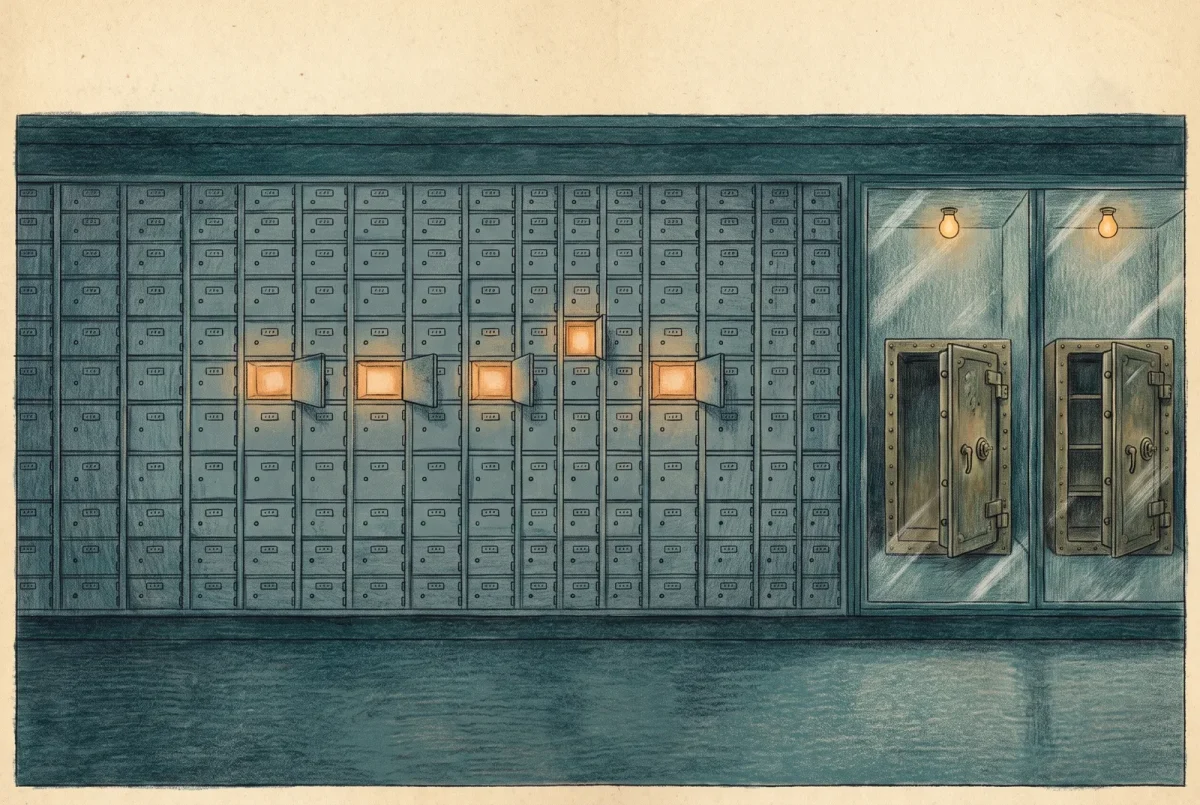
Everything above argues for less standing privilege. The exception is small, deliberate, and non-negotiable: two or more emergency access accounts, permanently and actively assigned Global Administrator, sitting outside every control this wave has described.
They exist because a tenant can lock itself out in ways that are not hypothetical. A federation provider fails. A Conditional Access policy is published with a scope error. And the failure mode that belongs specifically to this wave, which Microsoft documents as one of the reasons these accounts exist: every Global Administrator and Privileged Role Administrator is eligible rather than active, activation requires approval, and no approvers are configured or the configured approvers have left the directory. Because the default approvers are the active holders of those roles, and none are active, nobody can approve anything, and tenant administration is effectively locked. That scenario is built entirely out of decisions this wave recommends, which is precisely why the exception has to be built alongside them rather than afterwards.
The shape is specific. Two or more accounts, cloud-only, on the tenant’s onmicrosoft.com domain, not federated and not synchronised from anywhere. Not associated with any individual employee, and not connected to any employee-supplied device, particularly not a phone. Non-obvious names. And in PIM, the Global Administrator assignment on these accounts is active and permanent rather than eligible, which is the one place in this entire wave where I will tell you to configure standing access on purpose. There is a documented alternative worth knowing about, which is issuing individual emergency accounts per administrator to gain accountability and remote usability, and I generally prefer the shared model with strong custody, because the accounts should be awkward enough to use that nobody reaches for one casually.
What break-glass looks like in 2026, which is not what your runbook says
This is the part where most existing material, including material I have written, is now actively wrong. The classic break-glass pattern was a very long password, split in half, sealed in two envelopes, in two safes, with multifactor authentication deliberately not configured so that nothing could stand between you and the tenant in an emergency. That pattern is dead, and it was not killed by a change of fashion.
It was killed by mandatory multifactor authentication. Microsoft’s enforcement now covers emergency access accounts explicitly: break-glass accounts are required to sign in with multifactor authentication once enforcement begins, the documentation states plainly that there is no way to opt out, and it confirms that the enforcement applies to every account type including break-glass, regardless of any user exclusions configured for them. Enforcement arrived in phases, the admin portals from October 2024 and the command-line and infrastructure-as-code surfaces from October 2025, with a postponement route for complex environments that ran until the first of July 2026. That window has now closed. Worth knowing if you go and read the source: the page describing it still talks about that deadline in the future tense, because it has not been updated since the date passed. The state is enforced; the documentation simply has not caught up.
So the credential guidance has flipped, and the current prescription is short. Use a passkey, which Microsoft marks as the recommended option, or certificate-based authentication if your organisation already runs a public key infrastructure. Both satisfy the mandatory multifactor requirement, and both are phishing-resistant, which means the emergency accounts are now protected by stronger credentials than the ordinary administrator accounts in most tenants rather than weaker ones. That inversion is the right way round and it took an enforcement deadline to get there.
If your break-glass procedure still involves a sealed envelope and a password, it is not a fallback. It is an account that will fail to sign in on the day you need it.
The rest of the operational guidance survives intact and gains a physical dimension. Use authentication methods deliberately different from those on your normal administrative accounts, so that a compromise of the ordinary method does not reach the emergency ones: if your administrators use the Authenticator app, the emergency accounts use security keys. Store those keys, or smartcards, in secure fireproof safes in separate locations. Use them from a designated secure workstation or a privileged access workstation rather than from whatever laptop is nearest during an incident.
Exclude them from Conditional Access policies that block or restrict sign-in, using a dedicated security group for the purpose rather than naming accounts in each policy. Report-only policies need no exclusion, since they do not block anything. And this exclusion list explicitly includes the activation authentication-context policy that the next article builds, which is the one exclusion people forget because it feels like a security regression to write it. It is not. The emergency accounts do not activate anything; they hold their role permanently, so an activation gate that could strand them buys nothing and risks everything.
An account nobody watches is not a control
Two permanent Global Administrators that are excluded from your Conditional Access policies and sit outside PIM are, viewed unsympathetically, exactly the thing this whole wave exists to eliminate. What makes them defensible rather than hypocritical is that every use is detected and every account is proven to work.
The monitoring is documented end to end and there is no excuse for improvising it. Route sign-in logs to a Log Analytics workspace. Create an Azure Monitor alert rule scoped to that workspace, with a custom log search over the sign-in logs filtered to the object identifiers of the emergency accounts, a static threshold greater than zero, and a severity of critical. Attach an action group that reaches a human by more than one channel, because the scenarios these accounts exist for are the ones where email is plausibly among the things that are broken. Treat every firing as a security incident until somebody confirms it was expected, and hold a post-mortem on every genuine use.
Then prove they work, on a schedule, at least every ninety days, and additionally whenever IT staff change and whenever the tenant’s subscriptions change. The drill is not a formality: it catches expired credentials, it catches a policy that acquired a scope that swallowed the exclusion group, and it catches the quiet drift where somebody registered a method on a personal device. Check for that last one specifically, because self-service password reset enabled tenant-wide has a habit of prompting these accounts to prove themselves up onto whatever device is at hand, and an emergency account whose second factor lives on a departed employee’s phone is worse than no emergency account, because you believe you have one.
That is the role model: as few standing privileges as the work genuinely requires, scoped down where scope is the honest answer, with the roles that could undo the controls held as tightly as the roles they protect, and exactly two deliberate exceptions that are watched more closely than anything else in the tenant. What remains is the price of elevation itself, and that is the next article.
Privileged Identity Management
‹ Previous: [PIM 4.1] Build Sheet: Phishing-Resistant Activation for Global Administrator
Next: [PIM 6] PIM for Azure Resources: JIT Over Azure RBAC ›



