
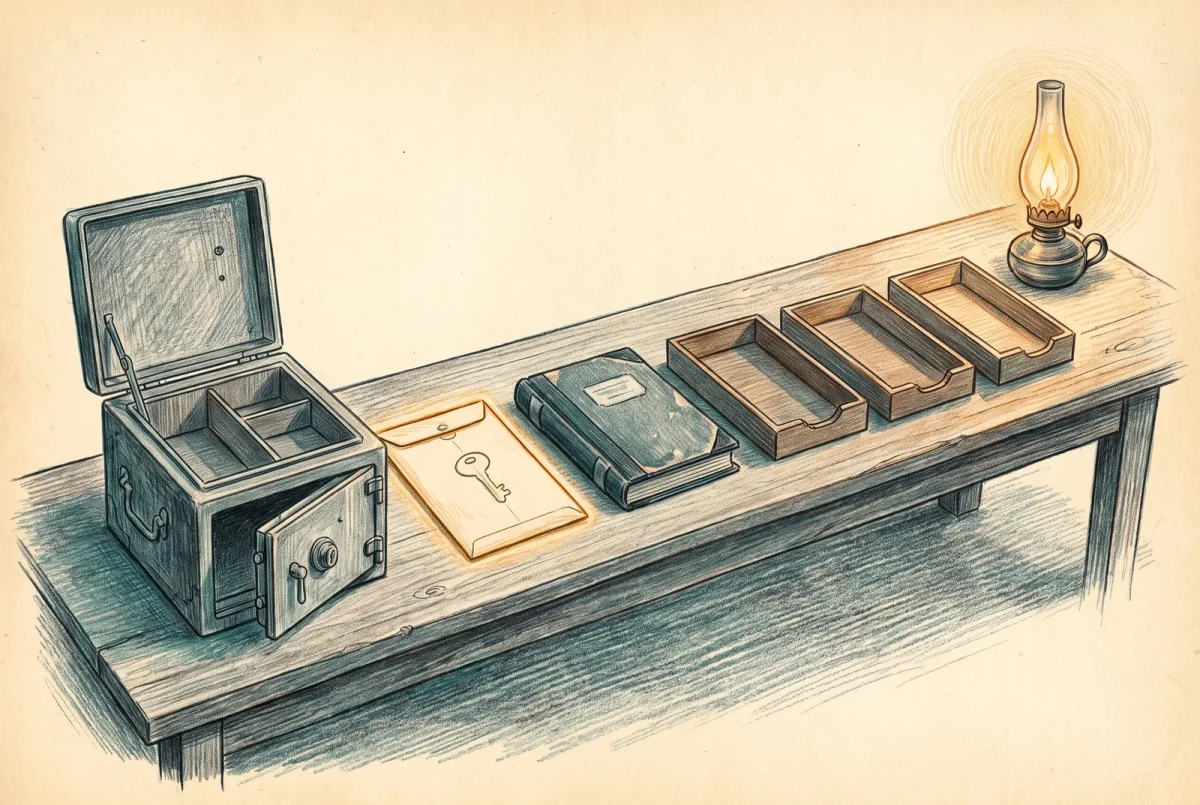
By the end of this article an old certificate authority has stopped issuing, stopped being trusted for authentication, left the directory, and had its key accounted for, without a single certificate failing on the way. The order below is not the order in the official procedure, and the difference is the point.
The worked estate for this article is the one from the rest of the series with one addition: an existing enterprise authority named CatSnackJack Legacy CA on a host called OLDCA, running Windows Server 2012 R2, issuing user, computer, domain controller and web server certificates on a one-year life. It is functioning. It is simply old, and it is being replaced by the hierarchy built in [P 2.1] through [P 5.1]. Where the abandoned case differs, the step says so.
Prerequisites. The replacement hierarchy built, validating clean, and publishing revocation. Enterprise Administrator rights, because several steps write to the forest configuration partition and a domain administrator cannot do them. Access to OLDCA with the same rights the original installer had. A change window for the steps that stop issuance, and a much longer calendar entry for the one that ends the revocation obligation. Backups of the old authority taken and tested before anything below is run, per [P 6.1] Build Sheet: Trust Distribution, Backup, and the Maintenance Calendar, because several of these steps are one way.
Decide first which job you are doing. If this is a migration and the old certificates are still wanted until they are replaced, follow the order below. If this is a compromise and the old certificates must stop working now, invert it: revoke everything and publish a long revocation list first, then work through the rest at whatever pace you like, accepting the outage as the point of the exercise.
Step 1. Inventory what the authority has issued
This is the whole scope of work and everything after it is mechanical. Do not skip it because the estate feels small.
certutil -view -restrict "Disposition=20,NotAfter>now" `
  -out "RequestID,CommonName,NotAfter,CertificateTemplate,RequesterName" `
  > C:\temp\legacy-issued.txt

certutil -view -restrict "Disposition=20" -out "NotAfter" | Select-String "NotAfter"

certutil -catemplates
certutil -CAInfo
Expected result: a list of every unexpired certificate this authority has issued, and the templates it is publishing. The single most important number in the whole retirement is the latest expiry date in that file, because it is the date the old revocation list can finally stop being published, and nothing else determines it.
Failure mode: the database is unreadable, the console will not open, or the machine cannot be logged into. That is the abandoned case, and the inventory has to be built from the estate instead.
# every enterprise authority registered in the forest
certutil -config - -ping
Get-ADObject -SearchBase "CN=Enrollment Services,CN=Public Key Services,CN=Services,$((Get-ADRootDSE).configurationNamingContext)" `
  -Filter * -Properties cn,dNSHostName,cACertificateDN

# what is currently trusted for domain authentication
certutil -viewstore -enterprise NTAuth

# what the domain controllers are actually presenting
certutil -dcinfo

# sweep endpoints for anything chaining to the old authority
Get-ChildItem Cert:\LocalMachine\My |
  Where-Object { $_.Issuer -like "*CatSnackJack Legacy CA*" } |
  Select-Object Subject, NotAfter, Thumbprint
Run the last of those across the estate through whatever you already use to run things across the estate, and treat anything it finds as scope. Then check the two places nobody thinks of: the autoenrollment settings in group policy, which tell you which populations were told to request certificates and are still doing so, and the network access servers, whose configuration names the issuers they will accept.
Step 2. Find what is still enrolling, and why
In the abandoned case this is the step that saves you. An authority nobody owns but which is still issuing has a client that never stopped asking.
certutil -view -restrict "Disposition=20,NotBefore>$(Get-Date).AddDays(-90).ToString('MM/dd/yyyy')" `
  -out "RequestID,CommonName,NotBefore,CertificateTemplate,RequesterName"
Expected result: everything issued in the last ninety days, with who asked. If that list is empty the authority is genuinely dormant and the rest of this is straightforward. If it is not empty, the requester names are your answer, and you resolve every one of them before proceeding.
| What you find | What it means | What to do first |
|---|---|---|
| Computer accounts, steadily | Autoenrollment is still pointed here by policy | Find the policy object and the template permissions before changing anything |
| One service account, repeatedly | An application is enrolling on its own schedule | Identify the application. This is the one that breaks silently. |
| Domain controllers | The DC template is still published here | Superseding from the new authority handles this; see [P 5.1] |
| Nothing in ninety days | Dormant | Proceed, but still complete step 1 |
Step 3. Issue the replacements and prove they work
Nothing is removed until the replacements exist. The new authority publishes its templates, autoenrollment picks up machines, users and domain controllers, and the superseded templates tab from [P 5.1] displaces the old domain controller certificates without anybody touching a domain controller.
Web server certificates do not renew themselves and this is where the inventory earns its place: every one on that list is a manual reissue from the new authority and a manual rebind on the host, and each one is somebody’s afternoon.
# on a sample of each population, confirm the new issuer has taken over
Get-ChildItem Cert:\LocalMachine\My |
  Where-Object { $_.Issuer -like "*CatSnackJack Issuing CA*" } |
  Select-Object Subject, NotAfter

certutil -dcinfo
Expected result: every population is now holding a certificate from the new authority, and the domain controllers are presenting one too. Do not proceed until that is true for every line of the step 1 inventory or you have consciously written the exception down.
Step 4. Stop new issuance, reversibly
The first genuinely destructive step, and it is chosen because it is the most easily undone one that has any effect. Unpublishing templates stops the authority issuing anything new while leaving everything it has already issued completely valid.
certutil -CATemplates > C:\temp\legacy-templates-before.txt
certutil -SetCATemplates ""
certutil -CATemplates
Expected result: no templates listed. Save the file first; it is your undo. Then wait. A week is the smallest interval I would accept and a month is better, because this is the step that surfaces the enrolment you failed to find in step 2. If something was quietly depending on this authority, it fails now, while the authority still exists and the change is one command away from being reversed.
That waiting period is the single most valuable thing in this build sheet. Do not compress it because the change window is open.
Step 5. Remove it from the authentication store
This is the kill switch from the doctrine article and it is nothing like the other steps. It ends the old authority’s ability to authenticate a principal to the domain, and it is not performed by the uninstall or by any of the object deletions below.
certutil -viewstore -enterprise NTAuth > C:\temp\ntauth-before.txt

certutil -viewdelstore "ldap:///CN=NtAuthCertificates,CN=Public Key Services,CN=Services,CN=Configuration,DC=catsnackjack,DC=com?cACertificate?base?objectclass=certificationAuthority"
That command opens a certificate selection dialog against the store. Selecting a certificate deletes it when the dialog closes; cancelling changes nothing, which makes it safe to run first just to look. Select the legacy authority’s certificate and nothing else. Read the issued-to and thumbprint fields before you confirm, because this dialog will just as happily remove the authority you are keeping.
Then force the change out and confirm it landed.
gpupdate /force
certutil -viewstore -enterprise NTAuth
Expected result: the store lists the new issuing authority and not the legacy one. Failure mode: certificates from the old authority still authenticate for a while afterwards, because clients cache this. That is expected and it resolves with replication and refresh rather than with further action.
Step 6. Publish a revocation list that outlives the certificates
The authority is about to stop existing, and everything it issued still needs to be validatable until it expires. So before the role comes off, publish a revocation list with a life longer than the latest expiry date from step 1.
certutil -setreg CA\CRLPeriodUnits 24
certutil -setreg CA\CRLPeriod "Months"
certutil -setreg CA\CRLOverlapUnits 3
certutil -setreg CA\CRLOverlapPeriod "Months"
net stop CertSvc && net start CertSvc

certutil -CRL
certutil -getreg CA\CRLPeriodUnits
Twenty-four months is chosen here because the estate’s longest certificate is on a one-year life and this leaves generous room. Set yours from the actual number in step 1, not from this example, and add margin.
Then copy the resulting list to wherever the old authority’s distribution points actually point, which is the part people miss. Read them back rather than assuming, because a 2012-era authority frequently publishes somewhere nobody has looked at in a decade.
certutil -getreg CA\CRLPublicationURLs
certutil -getreg CA\CACertPublicationURLs
Every location in the extension entries has to keep serving that file until the date from step 1. If one of them is a share on the machine you are about to decommission, that is a dependency you have just discovered, and it does not move. The path is frozen into every certificate already issued, so the choices are to keep that exact name and share resolving to something that serves the file, to leave the old server running until the last dependent certificate expires, or to lean on another distribution point that is already in those certificates. The third option is the one this series built for you, which is the whole argument for publishing to more than one location on the day you create the authority rather than the day you retire it.
Step 7. Back up, then uninstall the role
The uninstall is the anticlimax the doctrine article promised. Take a final backup first, because this is the last moment the authority exists as a running service.
certutil -getreg DBDirectory
certutil -getreg DBLogDirectory
certutil -getreg CA\CSP\Provider

Backup-CARoleService -Path E:\LegacyCA-final -KeyOnly -Password (Read-Host -AsSecureString)
Backup-CARoleService -Path E:\LegacyCA-final -DatabaseOnly

certutil -shutdown
Uninstall-AdcsCertificationAuthority -Force
Restart-Computer
Note the three registry values before the uninstall. You will need the database paths to clean up afterwards and the provider name to find the key, and all three become considerably harder to obtain once the role is gone.
Expected result: the role is removed and the enrolment services object has disappeared from the directory. Everything else in the directory is still there, which is correct.
Step 8. Account for the private key
The uninstall leaves the key where it was. It is the single most sensitive artefact in this entire exercise and it is the one with no icon.
# legacy provider
certutil -key
# key storage provider
certutil -CSP "Microsoft Software Key Storage Provider" -key
Expected result: the authority’s key container listed by name. Use whichever command matches the provider you read in step 7. What you do next is a policy decision rather than a technical one, and it needs writing down either way.
| Decision | When it is right | What it costs |
|---|---|---|
| Destroy the key with the server | The certificates are all replaced and you will never need to sign another revocation list from this authority | The revocation list you published in step 6 is the last one that will ever exist. If it expires before the certificates do, you cannot make another. |
| Retain the backup, sealed, until the step 1 date | The default, and what I do | A protected artefact somebody has to look after and eventually destroy, with a calendar entry to make sure they do |
| Leave it on a decommissioned server | Never | An organisation’s ability to issue trusted certificates, sitting on a machine nobody is patching |
Step 9. Remove the directory objects, in order
Only after the date from step 1 has passed, or after you have satisfied yourself that nothing outstanding still needs these paths. Until then the objects are load bearing.
In Active Directory Sites and Services with the services node shown, under Public Key Services: delete the authority’s object from the authority information container, its container from the distribution point folder, and its object from the certification authorities folder. The enrolment services object should already be gone from the uninstall; if it is not, remove it here.
Then sweep for anything left behind, because a long-lived authority in a forest that has been through migrations often has objects nobody expects.
ldifde -r "cn=CatSnackJack Legacy CA" `
  -d "CN=Public Key Services,CN=Services,CN=Configuration,DC=catsnackjack,DC=com" `
  -f C:\temp\remaining.ldf

# inspect the file, confirm every object listed is legitimately this authority's,
# then change every "changetype: add" to "changetype: delete" and apply
ldifde -i -f C:\temp\remaining.ldf
Do not delete the certificate templates. They are shared by every authority in the forest and yours is still using them. Template deletion belongs only to the case where the last authority in the forest is going, and if it happens by accident the recovery is regsvr32 /i:i /n /s certcli.dll from the system directory on a machine running certificate services, which recreates the default set but not anything you customised.
Step 10. Clean up the domain controllers and the endpoints
# on a domain controller: validate every DC certificate and remove those that fail
certutil -dcinfo deleteBad
gpupdate /force
certutil -dcinfo
Expected result: every domain controller presenting a certificate from the new authority and nothing from the old one. The caveat matters: do not run the delete form if any domain controller is holding a certificate from a version 1 domain controller template, because the validation this performs and the decision it makes are not the same thing.
The old root, if you are retiring a whole hierarchy, comes out of the trusted root store last and by policy, not by hand, and not until the final certificate beneath it has expired. Removing an anchor early produces exactly the failure this series has spent eleven articles avoiding.
A worked example: the web server nobody owned
The step 1 inventory on OLDCA returns 412 unexpired certificates. Most are machine and user certificates that autoenrollment from the new authority replaces without anybody doing anything. Fourteen are web server certificates, which means fourteen manual reissues, and the latest of those expires in eleven months, which sets the whole schedule.
Step 2 shows something still enrolling: a service account requesting a computer certificate every thirty days. Nobody recognises the name. Tracing the requester leads to a monitoring appliance that was configured against this authority in 2019 by somebody who has since left, and which will stop reporting the moment templates are unpublished. That is a two-hour reconfiguration in step 3, and it is a full outage of your monitoring platform if it is found in step 4 instead.
Step 6 turns up the real find. The old authority’s distribution point entries include a UNC path to a share on OLDCA itself. Fourteen web server certificates and 398 machine certificates carry that path, frozen into them, for another eleven months. The server cannot be decommissioned until either those certificates have all expired or that share exists somewhere else at the same name. This is discovered in step 6 in a good project and in an incident in a bad one.
The end-to-end test
Take a client holding a certificate from the old authority that has not yet expired. Do not replace it. From that client, on the network, authenticate to something that performs full chain validation, a wireless network using certificate authentication is ideal.
$old = Get-ChildItem Cert:\LocalMachine\My |
  Where-Object { $_.Issuer -like "*CatSnackJack Legacy CA*" } | Select-Object -First 1
certutil -verify -urlfetch (Export-Certificate -Cert $old -FilePath C:\temp\old.cer).FullName
Expected result: the chain builds and every revocation check succeeds, from an authority that no longer exists. That is the test. A retirement is correct when the thing you removed is still validating what it signed, and it is wrong the moment that stops being true before the last certificate has expired.
Then the second half: confirm that a certificate from the old authority can no longer be used to log on, which is what step 5 bought you, and that nothing new can be issued, which is what step 4 bought you.
Rollback
Up to and including step 4, everything is reversible in one command: republish the templates from the file you saved. Step 5 is reversible by adding the certificate back to the store with certutil -dspublish -f <cert> NTAuthCA, though the propagation delay makes it an unpleasant hour.
Step 7 onward is not reversible in any sense worth the name. A certificate authority restored from backup onto a rebuilt server is a genuine recovery procedure and not a rollback, and if you are performing it during a retirement then something has gone wrong that this build sheet did not anticipate. The waiting period in step 4 exists so that you never find out.
Completion checklist
An inventory exists of every unexpired certificate the old authority issued, and the latest expiry date in it is recorded as the date the retirement genuinely ends. Everything still enrolling was identified and moved before templates were unpublished. Replacements are deployed and verified across every population in that inventory, with any exception written down rather than assumed. Templates are unpublished and the pre-change list is saved. The old authority is out of the enterprise authentication store, verified by reading the store back. A revocation list has been published with a life longer than the last certificate, and every distribution point in that authority’s configuration has been read and confirmed to be serving it from somewhere that will outlive the server. A final backup exists off the machine. The role is uninstalled. The private key is accounted for by name, with a decision recorded and a calendar entry against it. The directory objects are removed, or a date is recorded for when they will be. The certificate templates were not touched. Domain controllers present only the new authority. And the maintenance calendar from [P 6.1] carries one new entry: the date the old revocation list can stop, after which this is finished.
On-Prem PKI
‹ Previous: [P 11] Retiring a Certificate Authority Without Taking the Estate With It



